“OS:Windows 10 Mobile/10.0.14393.321.rs1 release inmarket(winpbld).20161004-2338”的版本间差异
Monstercango(讨论 | 贡献) (顶不住先睡了。初版格式) |
Monstercango(讨论 | 贡献) |
||
| (未显示同一用户的2个中间版本) | |||
| 第1行: | 第1行: | ||
| − | {{ | + | {{OSBuildWP |
| − | + | |osfamily=Windows Phone 手机操作系统 | |
| − | + | |oslogo=Win10-logo.png | |
| − | | | + | |osname=Windows 10 Mobile |
| − | | | + | |startscreen=WP-10.0.14393.321-start.png |
| − | | | + | |aboutphone=WP-10.0.14393.321-about.png |
| + | |extrasinfo= | ||
| + | |sysver=10.0.14393.321 | ||
| + | |krnlver=Windows NT 10.0 | ||
|arch=ARM | |arch=ARM | ||
| − | | | + | |lang=Afrikaans (South Africa)<br>Albanian (Albania)<br>Amharic (Ethiopia)<br>Arabic (Saudi Arabia)<br>Azerbaijani (Latin, Azerbaijan)<br>Basque (Spain)<br>Bangla (Bangladesh)<br>Belarusian (Belarus)<br>Bulgarian (Bulgaria)<br>Catalan (Spain)<br>Chinese (Simplified, China)<br>Chinese (Traditional, Taiwan)<br>Croatian (Croatia)<br>Czech (Czech Republic)<br>Danish (Denmark)<br>Dutch (Netherlands)<br>English (United Kingdom)<br>English (United States)<br>Estonian (Estonia)<br>Filipino (Philippines)<br>Finnish (Finland)<br>French (Canada)<br>French (France)<br>Galician (Spain)<br>German (Germany)<br>Greek (Greece)<br>Hausa (Latin, Nigeria)<br>Hebrew (Israel)<br>Hindi (India)<br>Hungarian (Hungary)<br>Icelandic (Iceland)<br>Indonesian (Indonesia)<br>Italian (Italy)<br>Japanese (Japan)<br>Kazakh (Kazakhstan)<br>Khmer (Cambodia)<br>Kiswahili (Kenya)<br>Konkani (India)<br>Korean (Korea)<br>Lao (Lao P.D.R.)<br>Latvian (Latvia)<br>Lithuanian (Lithuania)<br>Macedonian (North Macedonia)<br>Malay (Malaysia)<br>Malayalam (India)<br>Norwegian (Bokmal, Norway)<br>Persian (Iran)<br>Polish (Poland)<br>Portuguese (Brazil)<br>Portuguese (Portugal)<br>Pseudo locale for east Asian/complex script localization testing, Pseudo locale used for localization testing, Pseudo locale used for localization testing of mirrored locales<br>Romanian (Romania)<br>Russian (Russia)<br>Serbian (Latin, Serbia)<br>Slovak (Slovakia)<br>Slovenian (Slovenia)<br>Spanish (Mexico)<br>Spanish (Spain, International Sort)<br>Swedish (Sweden)<br>Tamil (India)<br>Telugu (India)<br>Thai (Thailand)<br>Turkish (Turkey)<br>Ukrainian (Ukraine)<br>Uzbek (Latin, Uzbekistan)<br>Vietnamese (Vietnam) |
| − | + | |sku=MobileCoreProd<br>UpdateOS | |
| − | | | + | |compiled=2016-10-04 |
| − | |timebomb= | + | |timebomb=不过期 |
| − | | | + | |production=8.15.14393.321 |
| − | | | + | |mobilecore=10.0.14393.321 |
| + | |imespeech=10.0.14393.321 | ||
| + | |sysbldtag=10.0.14393.321.rs1_release_inmarket(winpbld).20161004-2338 | ||
| + | |krnlbldtag=10.0.14393.321.rs1_release_inmarket.161004-2338 | ||
}} | }} | ||
Windows 10 Mobile build 14393.321.rs1_release_inmarket 是 [[OS:Windows 10 Mobile#Redstone 1 (Version 1607, Anniversary Update / 周年更新)|Windows 10 Mobile 创意者更新 (版本 1607)]] 发布正式版后的累积更新之一。 | Windows 10 Mobile build 14393.321.rs1_release_inmarket 是 [[OS:Windows 10 Mobile#Redstone 1 (Version 1607, Anniversary Update / 周年更新)|Windows 10 Mobile 创意者更新 (版本 1607)]] 发布正式版后的累积更新之一。 | ||
| − | 2016 年 10 月 11 日推送至慢速通道、 发布预览通道和当前分支通道。<ref>[https://support.microsoft.com/zh-cn/topic/2016-%E5%B9%B4-10-%E6%9C%88-11-%E6%97%A5-kb3194798-%E6%93%8D%E4%BD%9C%E7%B3%BB%E7%BB%9F%E5%86%85%E9%83%A8%E7%89%88%E6%9C%AC-14393-321-4a3e7bbc-fe5f-ed29-3148-afc6c9b42903 2016 年 10 月 11 日 - KB3194798(操作系统内部版本 14393.321) - Microsoft 支持]</ref><ref>[https://changewindows.org/platforms/mobile/releases/windows-10-mobile-anniversary-update Windows 10 Mobile Anniversary Update · ChangeWindows]</ref> | + | 2016 年 10 月 11 日推送至慢速通道、 发布预览通道和当前分支通道。<ref>[https://support.microsoft.com/en-us/topic/october-11-2016-kb3194798-os-build-14393-321-4a3e7bbc-fe5f-ed29-3148-afc6c9b42903 October 11, 2016 — KB3194798 (OS Build 14393.321) - Microsoft Support]</ref><ref>[https://support.microsoft.com/zh-cn/topic/2016-%E5%B9%B4-10-%E6%9C%88-11-%E6%97%A5-kb3194798-%E6%93%8D%E4%BD%9C%E7%B3%BB%E7%BB%9F%E5%86%85%E9%83%A8%E7%89%88%E6%9C%AC-14393-321-4a3e7bbc-fe5f-ed29-3148-afc6c9b42903 2016 年 10 月 11 日 - KB3194798(操作系统内部版本 14393.321) - Microsoft 支持]</ref><ref>[https://changewindows.org/platforms/mobile/releases/windows-10-mobile-anniversary-update Windows 10 Mobile Anniversary Update · ChangeWindows]</ref> |
| + | |||
| + | ==已修复和已存在的问题== | ||
| + | ===修复问题=== | ||
| + | * 提升了蓝牙和存储文件系统的可靠性。 | ||
| + | * 解决了在安装安全更新 [https://go.microsoft.com/fwlink/p/?linkid=830758 KB3170005] 后, 导致打印机驱动程序无法正确安装的问题。 | ||
| + | * 解决了在安装安全更新 [https://go.microsoft.com/fwlink/p/?linkid=829844 KB3167679] 后, 如果输入密码错误或新密码不符合密码复杂性要求, 导致登录错误的问题。 | ||
| + | * 解决了要求用户注销并重新登录才能使用通过 Windows Installer (MSI) 安装应用程序的问题。 | ||
| + | * 通过向访问点名称 (APN, 英文全称为 “Access Point Name”) 数据库添加新条目, 改进了网络支持。 | ||
| + | * 解决了在连接到 Wi-Fi 时导致 Windows 10 Mobile 电池电量过度消耗的问题。 | ||
| + | * 解决了在 Windows 10 Mobile 上设置指纹和虹膜识别有时会导致登录失败的问题。 | ||
| + | * 解决了导致 Windows 10 Mobile 上 CPU 使用率过高的问题。 | ||
| + | * 解决了其他有关多媒体播放、 修改后的夏令时、 身份验证、 Internet Explorer 11 浏览器以及 Windows Shell 组件的问题。 | ||
| + | * 针对 Microsoft Edge 浏览器、 Internet Explorer 11 浏览器、 Windows 注册表以及诊断中心的安全更新。 | ||
| + | |||
| + | ===已知问题=== | ||
| + | 以下是 2016 年 10 月 11 日 [[OS:Windows 10/v1607|Windows 10 版本 1607]] 和 [[OS:Windows Server 2016|Windows Server 2016]] 累积更新中完整受影响文件列表的详细信息:<ref>[https://support.microsoft.com/en-us/topic/cumulative-update-for-windows-10-version-1607-and-windows-server-2016-october-11-2016-9195c5d7-dccb-5ad4-3b1b-3af4b8c72b33 Cumulative update for Windows 10 Version 1607 and Windows Server 2016: October 11, 2016 - Microsoft Support]</ref><ref>[https://support.microsoft.com/zh-cn/topic/windows-10-%E7%89%88%E6%9C%AC-1607-%E5%92%8C-windows-server-2016-%E7%B4%AF%E7%A7%AF%E6%9B%B4%E6%96%B0-2016-%E5%B9%B4-10-%E6%9C%88-11-%E6%97%A5-9195c5d7-dccb-5ad4-3b1b-3af4b8c72b33 Windows 10 版本 1607 和 Windows Server 2016 累积更新:2016 年 10 月 11 日 - Microsoft 支持]</ref> | ||
| + | |||
| + | * 在安装此安全更新程序后, System Center Operations Manager (SCOM) 管理控制台在 “状态” 视图中崩溃。 | ||
| + | * 如果您在运行 McAfee Data Loss Prevention Endpoint (DLP Endpoint) 时安装此更新, USB 功能可能会丢失。 | ||
| + | * 在安装此安全更新程序后, 当启用 UAC 和 <code>EnableLinkedConnections</code> 时, 管理员组的成员可能无法访问部分映射到 DFS-N 的网络驱动器。 当尝试访问映射网络驱动器的进程与创建映射网络驱动器的进程在不同的提升状态中运行时, 可能会发生这种情况。 例如没有为 “资源管理器” 提升进程, 它无法访问由在提升的上下文中运行的登录脚本创建的映射驱动器。 | ||
==功能演示== | ==功能演示== | ||
===开箱体验=== | ===开箱体验=== | ||
<gallery> | <gallery> | ||
| − | WP-10.0.14393.321-oobe-1.png | + | WP-10.0.14393.321-oobe-1.png|“开箱体验” 界面——欢迎使用 |
| − | WP-10.0.14393.321-oobe-2.png | + | WP-10.0.14393.321-oobe-2.png|“开箱体验” 界面——我们开始吧 |
| − | WP-10.0.14393.321-oobe-3.png | + | WP-10.0.14393.321-oobe-3.png|“开箱体验” 界面——我们开始吧 (“重新启动手机” 提醒通知) |
| − | WP-10.0.14393.321-oobe-4.png | + | WP-10.0.14393.321-oobe-4.png|“开箱体验” 界面——欢迎回来 |
| − | WP-10.0.14393.321-oobe-5.png | + | WP-10.0.14393.321-oobe-5.png|“开箱体验” 界面——下面是法律内容 |
| − | WP-10.0.14393.321-oobe-6.png | + | WP-10.0.14393.321-oobe-6.png|“开箱体验” 界面——日期和时间 |
| − | WP-10.0.14393.321-oobe-7.png | + | WP-10.0.14393.321-oobe-7.png|“开箱体验” 界面——连接到 Wi-Fi |
| − | WP-10.0.14393.321-oobe-8.png | + | WP-10.0.14393.321-oobe-8.png|“开箱体验” 界面——快速上手 |
| − | WP-10.0.14393.321-oobe-9.png | + | WP-10.0.14393.321-oobe-9.png|“开箱体验” 界面——自定义设置 |
| − | WP-10.0.14393.321-oobe-10.png | + | WP-10.0.14393.321-oobe-10.png|“开箱体验” 界面——谁拥有此设备? |
| − | WP-10.0.14393.321-oobe-11.png | + | WP-10.0.14393.321-oobe-11.png|“开箱体验” 界面——了解 Cortana (小娜), 你的超级助理 |
| − | WP-10.0.14393.321-oobe-12.png | + | WP-10.0.14393.321-oobe-12.png|“开箱体验” 界面——应用 (仍需安装一些其他应用。 请稍后片刻, 不要关闭设备。) |
| − | WP-10.0.14393.321-oobe-13.png | + | WP-10.0.14393.321-oobe-13.png|“开箱体验” 界面——应用 (所有应用均已安装完毕。) |
| − | WP-10.0.14393.321-oobe-14.png | + | WP-10.0.14393.321-oobe-14.png|“开箱体验” 界面——即将完成 |
</gallery> | </gallery> | ||
===系统界面=== | ===系统界面=== | ||
<gallery> | <gallery> | ||
| − | WP-10.0.14393.321-lockecreen.png | + | WP-10.0.14393.321-lockecreen.png|锁屏界面 |
| − | + | WP-10.0.14393.321-programs.png|应用列表 | |
| − | WP-10.0.14393.321-programs.png | + | WP-10.0.14393.321-actioncenter.png|操作中心 |
| − | WP-10.0.14393.321-actioncenter.png | + | WP-10.0.14393.321-taskview.png|任务视图 |
| − | WP-10.0.14393.321-taskview.png | + | WP-10.0.14393.321-slideshutdown.png|关机 (“关机时请向下滑动”) |
| − | WP-10.0.14393.321-slideshutdown.png | ||
</gallery> | </gallery> | ||
| − | === | + | ===应用程序=== |
| + | ====Continuum==== | ||
<gallery> | <gallery> | ||
| − | WP-10.0.14393.321- | + | WP-10.0.14393.321-continuum-1.png|“Continuum 连接” 应用程序——“欢迎使用 Continuum” 界面 1 |
| + | WP-10.0.14393.321-continuum-2.png|“Continuum 连接” 应用程序——“欢迎使用 Continuum” 界面 2 | ||
| + | WP-10.0.14393.321-continuum-3.png|“Continuum 连接” 应用程序——“欢迎使用 Continuum” 界面 3 | ||
| + | WP-10.0.14393.321-continuum-4.png|“Continuum 连接” 应用程序——“你将如何连接?” 界面 | ||
</gallery> | </gallery> | ||
| − | ===Cortana=== | + | ====Cortana==== |
<gallery> | <gallery> | ||
| − | WP-10.0.14393.321-cortana-home.png | + | WP-10.0.14393.321-cortana-home.png|“Cortana” 应用程序——主页 |
| − | WP-10.0.14393.321-cortana-feedback.png | + | WP-10.0.14393.321-cortana-feedback.png|“Cortana” 应用程序——搜索结果反馈 |
| − | WP-10.0.14393.321-cortana-settings.png | + | WP-10.0.14393.321-cortana-settings.png|“Cortana” 应用程序——设置 |
</gallery> | </gallery> | ||
| − | === | + | ====Microsoft Edge 浏览器==== |
<gallery> | <gallery> | ||
| − | WP-10.0.14393.321- | + | WP-10.0.14393.321-edge.png|“Microsoft Edge 浏览器” 应用程序——主页 |
| − | + | WP-10.0.14393.321-edge-settings.png|“Microsoft Edge 浏览器” 应用程序——设置 | |
| − | |||
| − | WP-10.0.14393.321- | ||
</gallery> | </gallery> | ||
| − | === | + | ====Windows 应用商店 (Windows Store)==== |
<gallery> | <gallery> | ||
| − | WP-10.0.14393.321- | + | WP-10.0.14393.321-store.png|“Windows 应用商店” 应用程序——演示 |
</gallery> | </gallery> | ||
| − | === | + | ====反馈==== |
<gallery> | <gallery> | ||
| − | WP-10.0.14393.321- | + | WP-10.0.14393.321-feedback.png|“反馈” 应用程序——演示 |
| − | |||
</gallery> | </gallery> | ||
| − | === | + | ====入门==== |
<gallery> | <gallery> | ||
| − | WP-10.0.14393.321- | + | WP-10.0.14393.321-getstarted.png|“入门” 应用程序——演示 |
| − | WP-10.0.14393.321- | + | WP-10.0.14393.321-getstarted-about.png|“入门” 应用程序——关于 |
</gallery> | </gallery> | ||
| − | ===设置=== | + | ====设置==== |
<gallery> | <gallery> | ||
| − | WP-10.0.14393.321-settings.png | + | WP-10.0.14393.321-settings.png|“设置” 应用程序——主页 |
| − | WP-10.0.14393.321-connect.png | + | WP-10.0.14393.321-connect.png|“设置” 应用程序——“设备” 设置页面下的 “连接” 设置页面 |
| − | WP-10.0.14393.321- | + | WP-10.0.14393.321-phoneupdate.png|“设置” 应用程序——“更新和安全” 设置页面下的 “手机更新” 设置页面 |
| − | WP-10.0.14393.321- | + | WP-10.0.14393.321-fordevelopers.png|“设置” 应用程序——“更新和安全” 设置页面下的 “针对开发人员” 设置页面 |
| − | WP-10.0.14393.321-insiderprogram.png | + | WP-10.0.14393.321-insiderprogram.png|“设置” 应用程序——“更新和安全” 设置页面下的 “Windows 预览体验计划” 设置页面 |
</gallery> | </gallery> | ||
| 第97行: | 第123行: | ||
==外部链接== | ==外部链接== | ||
| − | + | * [https://nokiapoweruser.com/windows-10-mobile-build-14393-321-live-now-for-non-insiders-changelog/ Windows 10 Mobile Build 14393.321 (10.0.14393.321) Changelog - Nokiapoweruser] | |
| + | |||
| + | ==关联参阅== | ||
| + | * {{OS|Windows 10/v1607/10.0.14393.321.rs1_release_inmarket.161004-2338}} | ||
| + | * {{OS|Windows Server 2016/10.0.14393.321.rs1_release_inmarket.161004-2338}} | ||
2025年12月20日 (六) 05:21的最新版本
| Windows 10 Mobile 的版本 | |||||||||
|---|---|---|---|---|---|---|---|---|---|
 |
|||||||||
| 10.0.14393.321.rs1_release_inmarket(winpbld).20161004-2338 | |||||||||
 |
|||||||||
| 基本信息 | |||||||||
| 系统版本 | 10.0.14393.321 | ||||||||
| 内核版本 | Windows NT 10.0 | ||||||||
| 体系架构 | ARM | ||||||||
| 产品 SKU | MobileCoreProd UpdateOS |
||||||||
| 支持语言 | Afrikaans (South Africa) Albanian (Albania) Amharic (Ethiopia) Arabic (Saudi Arabia) Azerbaijani (Latin, Azerbaijan) Basque (Spain) Bangla (Bangladesh) Belarusian (Belarus) Bulgarian (Bulgaria) Catalan (Spain) Chinese (Simplified, China) Chinese (Traditional, Taiwan) Croatian (Croatia) Czech (Czech Republic) Danish (Denmark) Dutch (Netherlands) English (United Kingdom) English (United States) Estonian (Estonia) Filipino (Philippines) Finnish (Finland) French (Canada) French (France) Galician (Spain) German (Germany) Greek (Greece) Hausa (Latin, Nigeria) Hebrew (Israel) Hindi (India) Hungarian (Hungary) Icelandic (Iceland) Indonesian (Indonesia) Italian (Italy) Japanese (Japan) Kazakh (Kazakhstan) Khmer (Cambodia) Kiswahili (Kenya) Konkani (India) Korean (Korea) Lao (Lao P.D.R.) Latvian (Latvia) Lithuanian (Lithuania) Macedonian (North Macedonia) Malay (Malaysia) Malayalam (India) Norwegian (Bokmal, Norway) Persian (Iran) Polish (Poland) Portuguese (Brazil) Portuguese (Portugal) Pseudo locale for east Asian/complex script localization testing, Pseudo locale used for localization testing, Pseudo locale used for localization testing of mirrored locales Romanian (Romania) Russian (Russia) Serbian (Latin, Serbia) Slovak (Slovakia) Slovenian (Slovenia) Spanish (Mexico) Spanish (Spain, International Sort) Swedish (Sweden) Tamil (India) Telugu (India) Thai (Thailand) Turkish (Turkey) Ukrainian (Ukraine) Uzbek (Latin, Uzbekistan) Vietnamese (Vietnam) |
||||||||
| 详细版本信息 | |||||||||
| 产品 Production |
核心 MobileCore |
输入法 & 语音 IME & Speech |
|||||||
| 8.15.14393.321 | 10.0.14393.321 | 10.0.14393.321 | |||||||
| 系统版本字符串 | |||||||||
| 10.0.14393.321.rs1_release_inmarket(winpbld).20161004-2338 | |||||||||
| 内核版本字符串 | |||||||||
| 10.0.14393.321.rs1_release_inmarket.161004-2338 | |||||||||
| 安装和使用期限 | |||||||||
| 编译日期 | 过期日期 | ||||||||
| 2016-10-04 | 不过期 | ||||||||
| 系统关于界面 | 附加信息界面 | ||||||||
 |
 |
||||||||
Windows 10 Mobile build 14393.321.rs1_release_inmarket 是 Windows 10 Mobile 创意者更新 (版本 1607) 发布正式版后的累积更新之一。
2016 年 10 月 11 日推送至慢速通道、 发布预览通道和当前分支通道。[1][2][3]
已修复和已存在的问题
修复问题
- 提升了蓝牙和存储文件系统的可靠性。
- 解决了在安装安全更新 KB3170005 后, 导致打印机驱动程序无法正确安装的问题。
- 解决了在安装安全更新 KB3167679 后, 如果输入密码错误或新密码不符合密码复杂性要求, 导致登录错误的问题。
- 解决了要求用户注销并重新登录才能使用通过 Windows Installer (MSI) 安装应用程序的问题。
- 通过向访问点名称 (APN, 英文全称为 “Access Point Name”) 数据库添加新条目, 改进了网络支持。
- 解决了在连接到 Wi-Fi 时导致 Windows 10 Mobile 电池电量过度消耗的问题。
- 解决了在 Windows 10 Mobile 上设置指纹和虹膜识别有时会导致登录失败的问题。
- 解决了导致 Windows 10 Mobile 上 CPU 使用率过高的问题。
- 解决了其他有关多媒体播放、 修改后的夏令时、 身份验证、 Internet Explorer 11 浏览器以及 Windows Shell 组件的问题。
- 针对 Microsoft Edge 浏览器、 Internet Explorer 11 浏览器、 Windows 注册表以及诊断中心的安全更新。
已知问题
以下是 2016 年 10 月 11 日 Windows 10 版本 1607 和 Windows Server 2016 累积更新中完整受影响文件列表的详细信息:[4][5]
- 在安装此安全更新程序后, System Center Operations Manager (SCOM) 管理控制台在 “状态” 视图中崩溃。
- 如果您在运行 McAfee Data Loss Prevention Endpoint (DLP Endpoint) 时安装此更新, USB 功能可能会丢失。
- 在安装此安全更新程序后, 当启用 UAC 和
EnableLinkedConnections时, 管理员组的成员可能无法访问部分映射到 DFS-N 的网络驱动器。 当尝试访问映射网络驱动器的进程与创建映射网络驱动器的进程在不同的提升状态中运行时, 可能会发生这种情况。 例如没有为 “资源管理器” 提升进程, 它无法访问由在提升的上下文中运行的登录脚本创建的映射驱动器。
功能演示
开箱体验
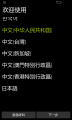
“开箱体验” 界面——欢迎使用
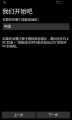
“开箱体验” 界面——我们开始吧
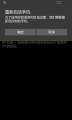
“开箱体验” 界面——我们开始吧 (“重新启动手机” 提醒通知)
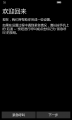
“开箱体验” 界面——欢迎回来
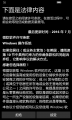
“开箱体验” 界面——下面是法律内容
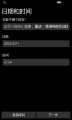
“开箱体验” 界面——日期和时间
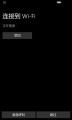
“开箱体验” 界面——连接到 Wi-Fi
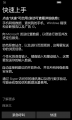
“开箱体验” 界面——快速上手
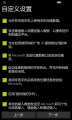
“开箱体验” 界面——自定义设置
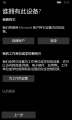
“开箱体验” 界面——谁拥有此设备?
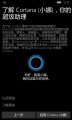
“开箱体验” 界面——了解 Cortana (小娜), 你的超级助理
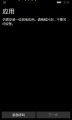
“开箱体验” 界面——应用 (仍需安装一些其他应用。 请稍后片刻, 不要关闭设备。)
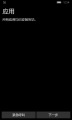
“开箱体验” 界面——应用 (所有应用均已安装完毕。)
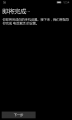
“开箱体验” 界面——即将完成


系统界面
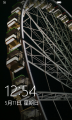
锁屏界面
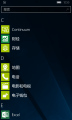
应用列表
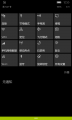
操作中心
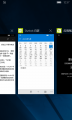
任务视图
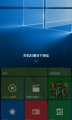
关机 (“关机时请向下滑动”)


应用程序
Continuum
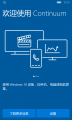
“Continuum 连接” 应用程序——“欢迎使用 Continuum” 界面 1
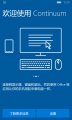
“Continuum 连接” 应用程序——“欢迎使用 Continuum” 界面 2
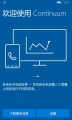
“Continuum 连接” 应用程序——“欢迎使用 Continuum” 界面 3
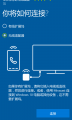
“Continuum 连接” 应用程序——“你将如何连接?” 界面


Cortana
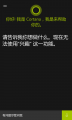
“Cortana” 应用程序——主页
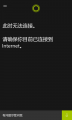
“Cortana” 应用程序——搜索结果反馈
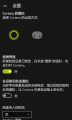
“Cortana” 应用程序——设置


Microsoft Edge 浏览器
“Microsoft Edge 浏览器” 应用程序——主页
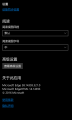
“Microsoft Edge 浏览器” 应用程序——设置


Windows 应用商店 (Windows Store)
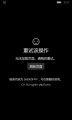
“Windows 应用商店” 应用程序——演示

反馈

“反馈” 应用程序——演示

入门
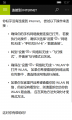
“入门” 应用程序——演示
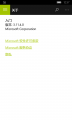
“入门” 应用程序——关于


设置
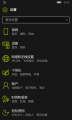
“设置” 应用程序——主页
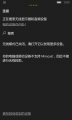
“设置” 应用程序——“设备” 设置页面下的 “连接” 设置页面
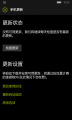
“设置” 应用程序——“更新和安全” 设置页面下的 “手机更新” 设置页面
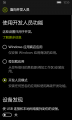
“设置” 应用程序——“更新和安全” 设置页面下的 “针对开发人员” 设置页面
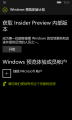
“设置” 应用程序——“更新和安全” 设置页面下的 “Windows 预览体验计划” 设置页面


参考资料
- ↑ October 11, 2016 — KB3194798 (OS Build 14393.321) - Microsoft Support
- ↑ 2016 年 10 月 11 日 - KB3194798(操作系统内部版本 14393.321) - Microsoft 支持
- ↑ Windows 10 Mobile Anniversary Update · ChangeWindows
- ↑ Cumulative update for Windows 10 Version 1607 and Windows Server 2016: October 11, 2016 - Microsoft Support
- ↑ Windows 10 版本 1607 和 Windows Server 2016 累积更新:2016 年 10 月 11 日 - Microsoft 支持